
How to Create a WEEX API Key Without Getting Locked Out

 Prefer us on Google


Creating a WEEX API key takes about two minutes. Getting one that actually works on the first call takes a little more than that, because three of the most common failure points — the passphrase character rule, the roughly 15-minute propagation delay, and the fact that trading permissions are separate per market — are documented in places most tutorials never open.
This guide walks the full flow: what to have ready before you click Create, which permission boxes to tick for spot versus futures, how the IP allowlist actually accepts input, how to test the key against WEEX's paper-trading endpoints before real money is involved, and how to read the two different error-code schemes you will run into. All figures below come from WEEX's own API documentation and API Management page as of August 6, 2026; the developer FAQs were last updated 2026-04-14.
What to Have Ready Before You Create a WEEX API Key
Three things need to be true before the key will authenticate.
Two-factor authentication must be bound. WEEX returns error -1055 (USER_AUTH_NOT_SAFE, "User must bind phone or Google authenticator") when an account without 2FA tries to use an API key. Bind Google Authenticator first, not after.
You need to know which market you are trading. Spot and futures are separate permission scopes and separate REST domains — api-spot.weex.com for spot, api-contract.weex.com for futures. A key that works perfectly against the spot endpoints will return a permissions error against contracts if you did not tick the Futures box.
You need the IP your code will call from. Not your laptop's IP if the bot runs on a VPS. Getting this wrong produces error -1056 (ILLEGAL_IP), and because the allowlist is set at creation time, fixing it means editing the key and waiting out the propagation delay again.
Each account can hold up to 10 API key groups, so there is room to keep a read-only monitoring key separate from a trading key rather than reusing one for everything.
How to Create a WEEX API Key: The Six-Step Path
The whole flow lives on the web platform. Mobile app users still need to complete key creation on the web.
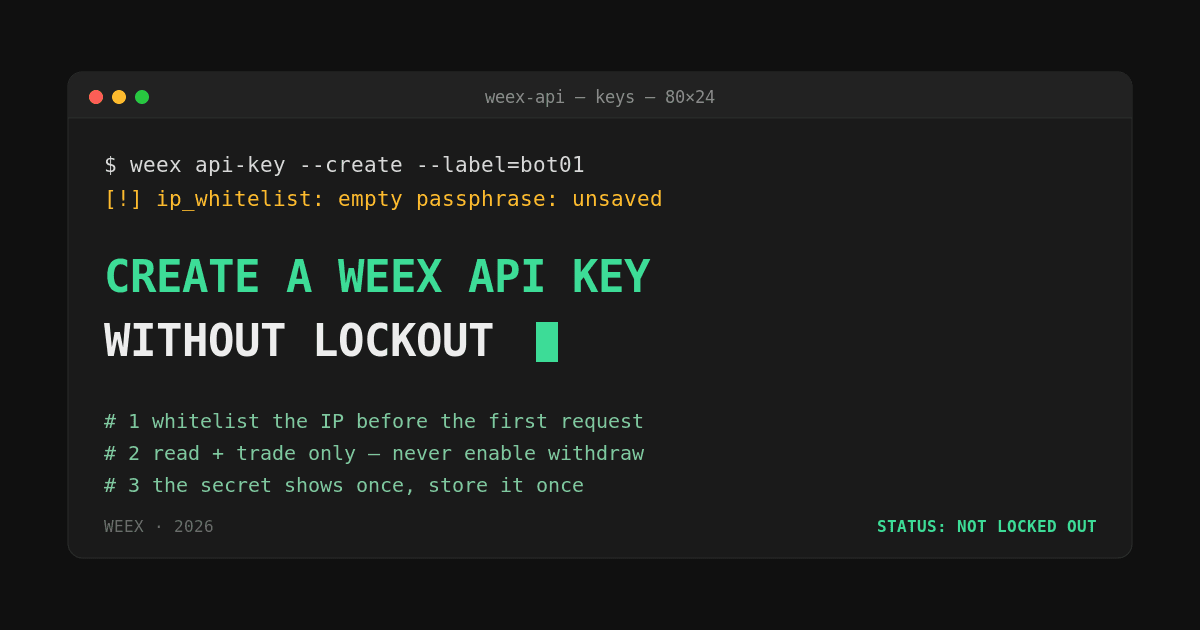
- Log in to WEEX and open Account → API Management, or go straight to the API Management page.
- Click Create API Key and complete the security verification.
- Name the key something that identifies its job —
grid-bot-spot,pnl-dashboard-readonly. When you are managing several keys, a name likeapi1is how the wrong key ends up in a live trading config. - Set the passphrase. Use letters and numbers only. WEEX's developer FAQ explicitly recommends against special characters, and a passphrase containing them is a frequent cause of authentication failures that look like signing bugs.
- Tick the permissions you need. New keys default to
Read Only. - Enter the IP allowlist, then save. The APIKey, SecretKey and Passphrase are shown once and only once.
Store all three immediately. The SecretKey cannot be retrieved later, and the passphrase cannot be reset or modified — if you lose either, the only path forward is deleting the key and creating a new one.
Which WEEX API Key Permissions Should You Enable?
Tick only the scope your code needs. WEEX's published permission set as of August 2026:
| Permission | What it allows | Typical use | Domain |
|---|---|---|---|
| Readonly | Query endpoints only — balances, positions, trade history. No orders. | Portfolio dashboards, ledger sync, tax exports, market analysis | Both |
| Spot | Place and cancel orders, query assets in spot markets | Spot grid bots, automated rebalancing | api-spot.weex.com |
| Futures | Open and close positions, set TP/SL, query positions | Perpetuals strategies, hedging | api-contract.weex.com |
Two things worth noting here.
These scopes are independent, not hierarchical. Ticking Futures does not grant Spot. A strategy that hedges a spot position with a perpetual needs both boxes checked, or it will fail halfway through with error -1052 (INSUFFICIENT_PERMISSIONS) — which is exactly the failure mode you least want mid-trade.
The generic security advice ported from other exchange guides — "always disable withdrawal permission" — does not map onto WEEX the way people assume. WEEX's documented permission set covers Readonly, Spot and Futures; a withdrawal scope is not among the options presented at key creation. That removes the single worst outcome of a leaked key, but it does not make a leaked trading key harmless. Someone with your Spot or Futures credentials can still drain an account through deliberately bad fills against illiquid pairs.
Passphrase, Secret Key, and the IP Allowlist Rules
The three credentials do different jobs, and only one of them is recoverable.
| Credential | Generated by | Recoverable? | Used for |
|---|---|---|---|
| APIKey | WEEX (prefixed weex_) | Visible in API Management | Identifying the caller in the ACCESS_KEY header |
| SecretKey | WEEX | No — shown once | HMAC SHA256 signing of the request string |
| Passphrase | You | No — cannot be reset | Sent as ACCESS_PASSPHRASE on every private call |
The IP allowlist accepts up to 10 addresses, entered as a single comma-separated string — 192.168.1.213,192.168.1.214,192.168.1.215, in the format WEEX's own API Management page uses as its example. Bind it. WEEX's documentation is direct that unrestricted keys pose a security risk, and it is the one control that makes a leaked SecretKey close to useless to whoever has it.
The trap: if your VPS provider reassigns your IP, or you develop from a residential connection with a dynamic address, the key stops working with no warning and no obvious cause. Either use a static IP, or accept that you will be editing the allowlist periodically — and each edit means waiting for propagation again.
Test Your WEEX API Key Before Risking Real Funds
Do not let a live order be your first authenticated request.
WEEX signs requests with HMAC SHA256 over timestamp + method.toUpperCase() + requestPath + "?" + queryString + body, Base64-encoded. The timestamp is in milliseconds — 13 digits — and requests are rejected if it deviates more than 30 seconds from server time. If your server clock drifts, every private call fails with -1046 regardless of how correct the rest of your code is. Query WEEX's server-time endpoint and sync against it rather than trusting the local clock. The full spec is on the spot API preparation page.
A sane test sequence:
- Call a public endpoint first. No auth involved. If this fails, the problem is network or domain, not your key.
- Call a balance query. This exercises the signature, the passphrase and the IP allowlist together, without touching a permission you might not have.
- Use the paper-trading endpoints. WEEX ships demo futures endpoints —
GET /capi/v3/sim/balance,GET /capi/v3/sim/position/allPosition,POST /capi/v3/sim/order,GET /capi/v3/sim/order/history— that simulate the full trading loop in SUSDT without consuming real assets. Hedge-mode dual-direction positions are supported, so you can debug position logic properly rather than approximating it. - Place one minimum-size live order on a liquid pair, then cancel it.
Build against the V3 endpoints. V1 and V2 are being deprecated, and a surprising share of "the API is broken" reports trace back to code written against an older version.
WEEX API Key Errors and What Actually Causes Them
Two error-code schemes are live at the same time — the V3 documentation uses negative four-digit codes, while WEEX's legacy help-center reference lists the older 4xxxx codes. Both describe the same underlying failures. This mapping is the part that saves the most debugging time:
| Symptom | V3 code | Legacy code | Real cause |
|---|---|---|---|
| Key rejected right after creation | -1044 / -1047 | 40006 / 40009 | Global propagation takes about 15 minutes. Wait before assuming the key is bad. |
| "API key or passphrase incorrect" | -1049 | 40012 | Special characters in the passphrase, or a trailing space copied from a notes app |
| Order rejected, queries work | -1052 | 40014 | The market's trading permission was never ticked, or the pair does not support API trading |
| Request timestamp expired | -1046 | 40008 | Server clock drift beyond the 30-second window |
| Illegal IP | -1056 | 40018 | Calling IP is not on the allowlist, or the VPS IP changed |
| Must bind phone or authenticator | -1055 | 40016 | 2FA not enabled on the account |
| WebSocket returns 403 | — | — | Missing User-Agent header. Content can be anything; the field cannot be absent. |
| HTTP 429 | — | 429 | Rate limit exceeded. Continuing to hammer earns a 10-second ban. |
That 15-minute propagation window deserves emphasis, because it is the single most misdiagnosed WEEX API problem. Newly created and newly modified keys take roughly 15 minutes to propagate across WEEX's systems. Developers who edit an allowlist, retry immediately, get -1056, and start rewriting their signing function are debugging a problem that would have resolved itself. The full list is in WEEX's API error code reference.
If permissions are correct and the key still returns restricted errors, the account itself may have tripped platform risk controls — suspicious logins or a burst of high-frequency invalid requests can auto-disable API access. That requires customer support to reactivate, not a new key.
WEEX API Rate Limits and Supported Trading Pairs
Rate limits differ by market, and the spot and futures order limits are not the same number — worth knowing before you size a strategy's order frequency.
| Market | Operation | Limit |
|---|---|---|
| Spot | Place order | 100 / min |
| Spot | Cancel order | 80 / 10s, or 200 / min |
| Futures | Place order | 50 / min |
| Futures | Cancel order | 50 / min |
| All | REST/WS connections | 300 / 5 min per IP |
| WebSocket | Channel subscriptions | 240 / hour per connection |
Non-order endpoints are rate-limited by IP with a weight system; order placement is limited per account (userId) instead and consumes no IP weight. Response headers tell you where you stand: X-USED-WEIGHT-1M and X-REMAINING-WEIGHT-1M for IP weight, X-ORDER-COUNT- and X-ORDER-REMAINING- for order counts. Reading those headers rather than counting requests locally is what separates a bot that degrades gracefully from one that gets banned mid-position.
The futures cancel limit of 50/min is the one that bites. A strategy quoting both sides across several pairs can exhaust it during a fast move — precisely when cancelling matters most. Budget cancels deliberately, and prefer amending or using postOnly over cancel-and-replace churn.
Not every WEEX pair is API-tradable. The API supports 140+ pairs, with the futures list running well past a hundred symbols and the spot list considerably shorter — roughly two dozen majors. Check your symbol against the list of API-supported spot and futures pairs before you build around it; an unsupported pair returns a permissions error that looks identical to a missing permission scope. Symbols are case-sensitive and must be uppercase.
Two capability gaps to plan around: WEEX does not currently support TradingView webhook integration or the FIX protocol. If your intended workflow depends on either, the REST and WebSocket APIs are the only route.
What Matters Most
If you take three things from this: bind the IP allowlist, keep the passphrase alphanumeric, and wait 15 minutes before concluding a new WEEX API key is broken. Those three account for the large majority of first-hour failures.
Beyond that, the discipline that separates people who run API strategies for years from people who blow up in month two is boring and unglamorous — one key per job, read-only for anything that only needs to look, a static IP, and the response headers actually monitored. A WEEX API key is a credential with trading authority over your account. Treat it with the same care as the account password itself.
Ready to build? Create your key on the API Management page and start against the paper-trading endpoints.
FAQ
1. How do I create a WEEX API key?
Log in to WEEX, go to Account → API Management, click Create API Key, complete security verification, set an alphanumeric passphrase, select your permissions, and add an IP allowlist. The APIKey, SecretKey and Passphrase are displayed once at creation and must be saved immediately.
2. Why is my new WEEX API key not working?
Most often it is timing. New and modified keys take roughly 15 minutes to propagate across WEEX's systems. After that, check in order: 2FA bound to the account, calling IP on the allowlist, passphrase free of special characters, correct trading permission ticked for the market you are hitting, and server clock within 30 seconds of WEEX's server time.
3. Can I recover a lost WEEX API passphrase?
No. The passphrase cannot be modified or recovered. If you lose it, delete the key and create a new one. The SecretKey is equally unrecoverable — it is shown only at creation.
4. How many API keys can one WEEX account have?
Up to 10 API key groups per user, with a maximum of 10 IP addresses per key, entered as a comma-separated list.
5. Does a WEEX API key allow withdrawals?
WEEX's documented API permissions cover Readonly, Spot and Futures. A withdrawal scope is not among the options presented when creating a key. A compromised trading key can still cause losses through hostile order flow, so treat leaked credentials as an emergency and delete the key immediately.
6. Do I need separate WEEX API keys for spot and futures?
Not necessarily — one key can carry both Spot and Futures permissions. But the permissions are independent, so both boxes must be ticked, and the two markets use different REST domains: api-spot.weex.com and api-contract.weex.com.
7. Can I test a WEEX API key without real funds?
Yes. WEEX provides paper-trading futures endpoints under /capi/v3/sim/ covering balance, positions, order placement and order history, using simulated SUSDT. Debug strategy logic there before pointing the key at live markets.
Risk Warning
Crypto assets are volatile and API-driven trading can amplify both the speed and the size of losses. A single logic error, an unhandled 429 response, or an exhausted cancel-rate budget can leave positions open in a fast market, and losses may be partial or total.
Specific risks when creating and using a WEEX API key: credential leakage — anyone holding your SecretKey and passphrase from an unrestricted key can trade your balance; automation failure — bots do not pause when your assumptions break; liquidity risk — API orders on thin pairs can fill far from the expected price; leverage risk on futures, where liquidation can occur before your code reacts; and operational risk from IP changes, clock drift, or deprecated endpoint versions silently disabling a running strategy.
Never share your SecretKey or passphrase, delete any key you suspect is compromised without waiting to confirm it, and size positions on the assumption that your automation will eventually fail at the worst possible moment. Nothing here is investment advice.
This content is provided for general informational purposes only and doesn't constitute financial, investment, legal, or tax advice. Any events, rewards, online promotions, or related information mentioned herein should not be considered a recommendation, solicitation, or invitation to purchase, sell, trade, or otherwise deal in any crypto assets. Crypto assets are highly volatile and may result in loss. The availability of WEEX services, products, and related events may vary by region. You are responsible for ensuring that your participation is in accordance with applicable local laws and regulations.
You may also like

Nvidia Stock Price and SpaceX's Exclusive Partnership: What Building Exclusively on Nvidia Actually Changes

Google Stock and the $200 Billion Anthropic Financing Program: What Assembling the Largest AI Deal in History Actually Means for GOOG

GOOG Stock Falls 4% as Jeff Dean Exits and Demis Hassabis Steps Down: What Google's AI Brain Drain Actually Means
Is SNDK Stock a Buy After Falling Below $1,300 on Record Earnings?
SNDK Stock and the $14 Billion Buyback: What the Largest Repurchase in SanDisk's History Actually Signals
SanDisk Unveils HBF: What the World's First HBM-Flash Standard Means for SNDK Stock
Sandisk Stock Falls After Record Q4 Earnings: What $8.97 Billion Revenue and a Guidance Miss Actually Mean
Is Nvidia Stock Price a Buy Before August 26 Earnings? What the SpaceX Deal and 46% Upside Imply

NVDA Earnings Aug 26: How to Trade the Print 24/7

SNDKON: How SanDisk's Tokenized Stock Priced the Earnings Drop
Amazon Stock on Crypto Rails: Check the Tracking Gap First
SpaceX Rocket Crashes on the Moon: What It Means for SPCX Traders
Japan's 20% Crypto Tax: Already Enacted, Start Date Not Yet Set (August 2026)
How to Verify a Message or File Using PGP Signatures

Can Futures Trading Bots Make Money? A Realistic Review

Form 1099-DA Explained: A 2026 Filing Season Guide for Crypto Traders
Why Your Coinbase or Kraken 1099-DA Might Be Wrong (And What to Do)
Cost Basis Gap in Form 1099-DA: How to Avoid an IRS CP2000 Notice
UFC's $175M Crypto.com Deal: What It Means for Crypto's Mainstream Moment
From UFC to F1: How Crypto Exchanges Are Buying Sports Sponsorships
What Is PGP Encryption? A Beginner's Guide

Lost Your 2FA Device? Here's What to Do Next
What Is a Crypto Broker API? How Platforms Embed Trading Without Building an Exchange
What Is WEEX Broker? How the Program Works and Who It Is For
Nvidia Stock Price Has 46% Upside According to Wall Street: What the $308 Average Target Actually Requires
Is 2FA Enough to Keep Your Crypto Safe?
Is AMD Stock a Buy After Falling 9% on Record Earnings? What the Setup Actually Looks Like
PLTR Stock Price Prediction 2026-2027: Can Palantir Reach $200 After the Q2 Blowout?

Samsung Stock Price Prediction 2026-2027: Can Samsung Reach $250 After the July Selloff?
How to Set Up 2FA on Your Crypto Exchange Account
Nvidia Stock Price and SpaceX's Exclusive Partnership: What Building Exclusively on Nvidia Actually Changes
Google Stock and the $200 Billion Anthropic Financing Program: What Assembling the Largest AI Deal in History Actually Means for GOOG
GOOG Stock Falls 4% as Jeff Dean Exits and Demis Hassabis Steps Down: What Google's AI Brain Drain Actually Means
Is SNDK Stock a Buy After Falling Below $1,300 on Record Earnings?
SNDK Stock and the $14 Billion Buyback: What the Largest Repurchase in SanDisk's History Actually Signals
SanDisk Unveils HBF: What the World's First HBM-Flash Standard Means for SNDK Stock
Contents
Popular coins
Latest articles